Daily Planner for iPad
A Paper Planner
in Your iPad
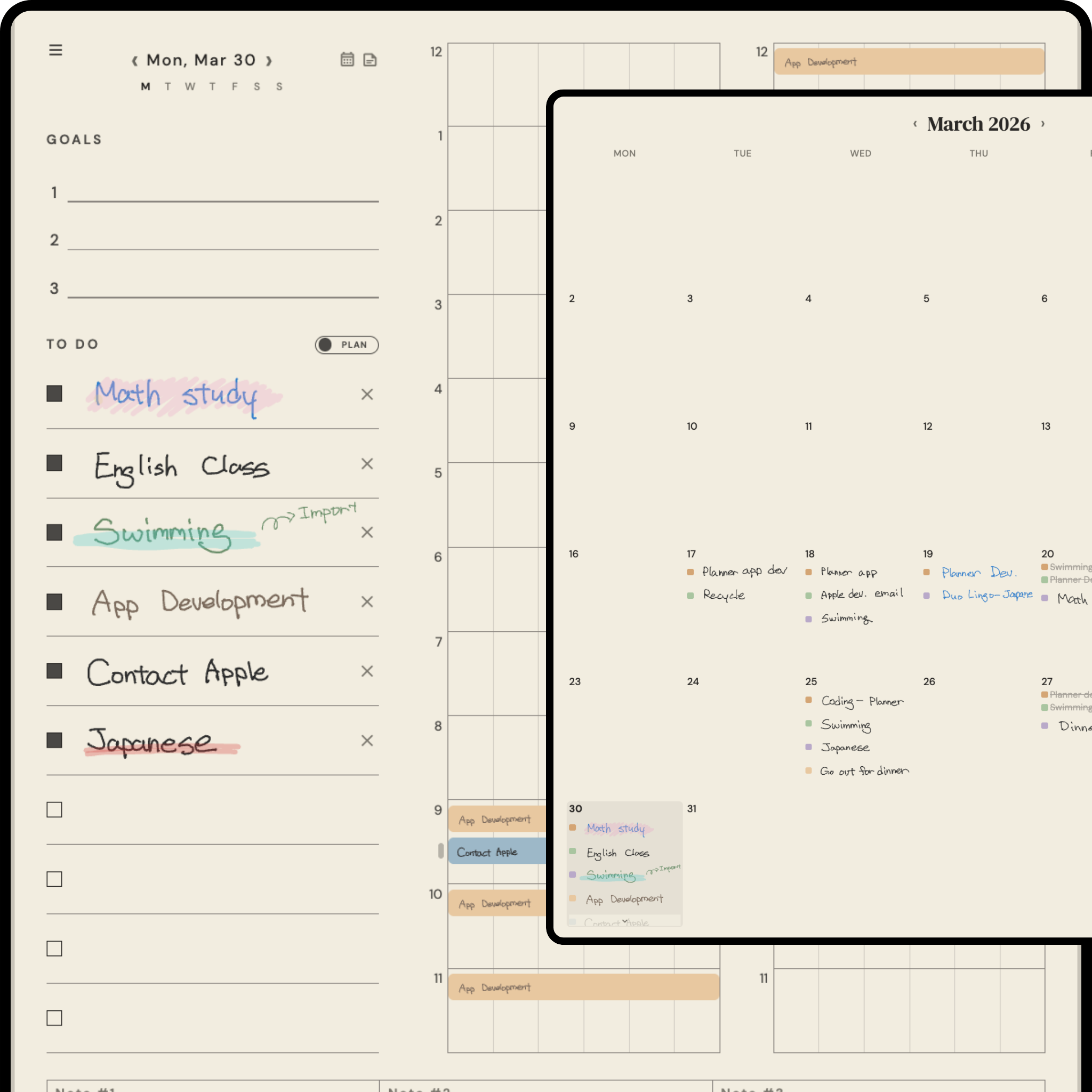
Write with Apple Pencil, just like on paper. Plan your day in 10-minute blocks, track what you actually did, and see your patterns over time.
No account needed — start planning in seconds
Features
Your day, on paper
Plan in 10-Min Blocks
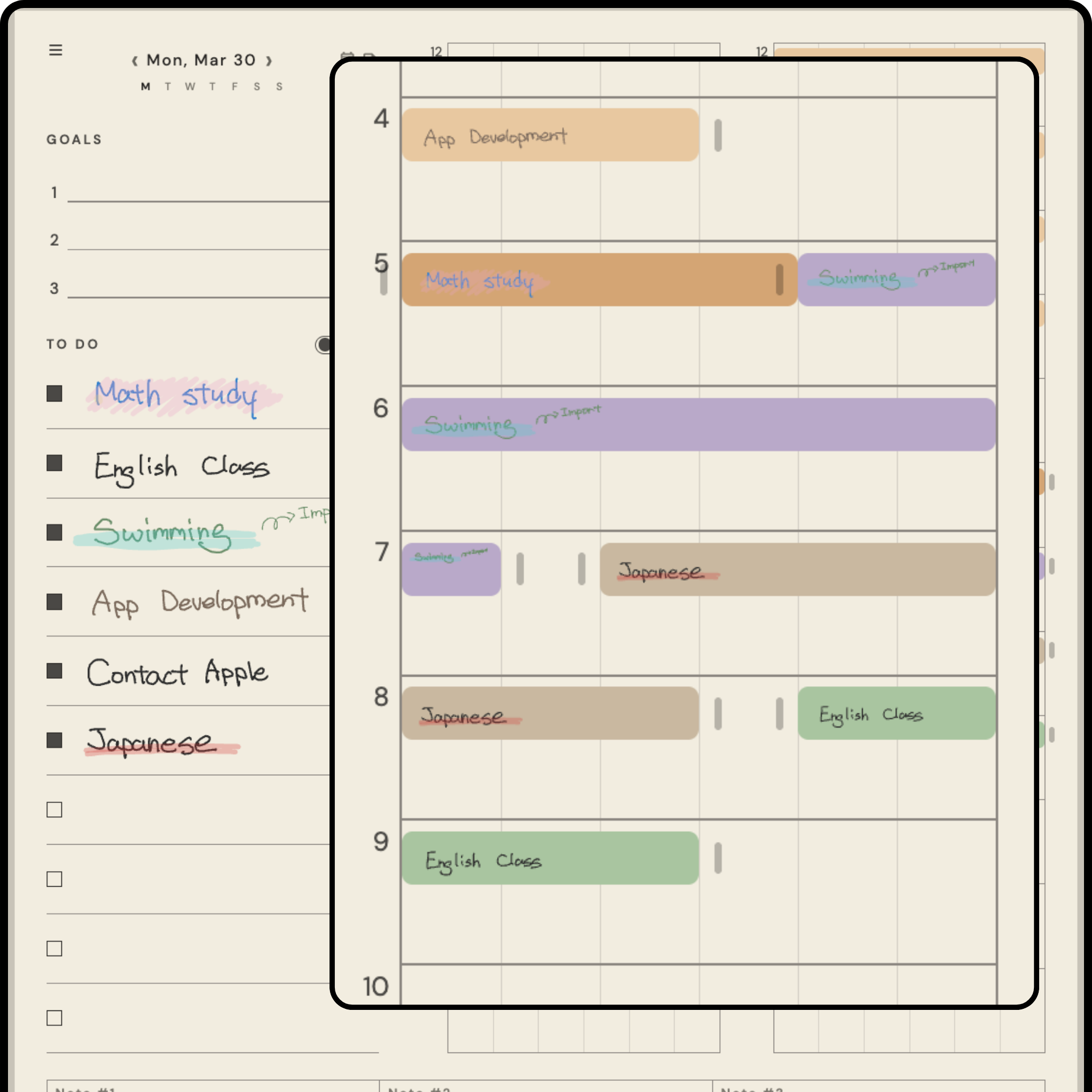
Organize your day, hour by hour
Schedule your day with a familiar paper planner layout. Create time blocks by dragging on the timetable — each slot is 10 minutes. See your entire day at a glance, from morning to night.
Plan vs. Reality
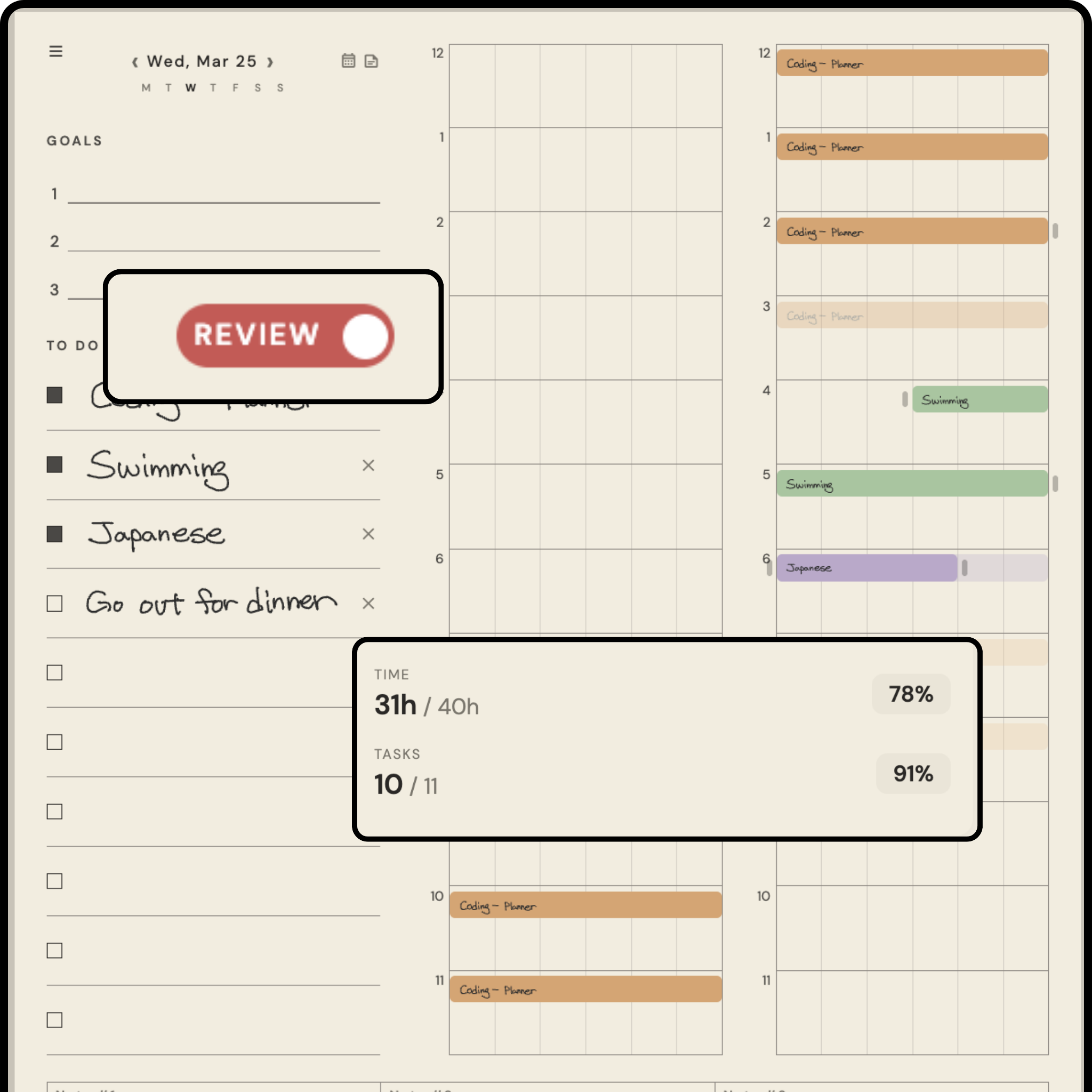
Record what you actually did
Toggle between Plan and Review mode. Check off your todos and record the actual times. Your planned schedule shows as faded stripes behind your real day — an honest look at where your time goes.
AI Reads Your Handwriting
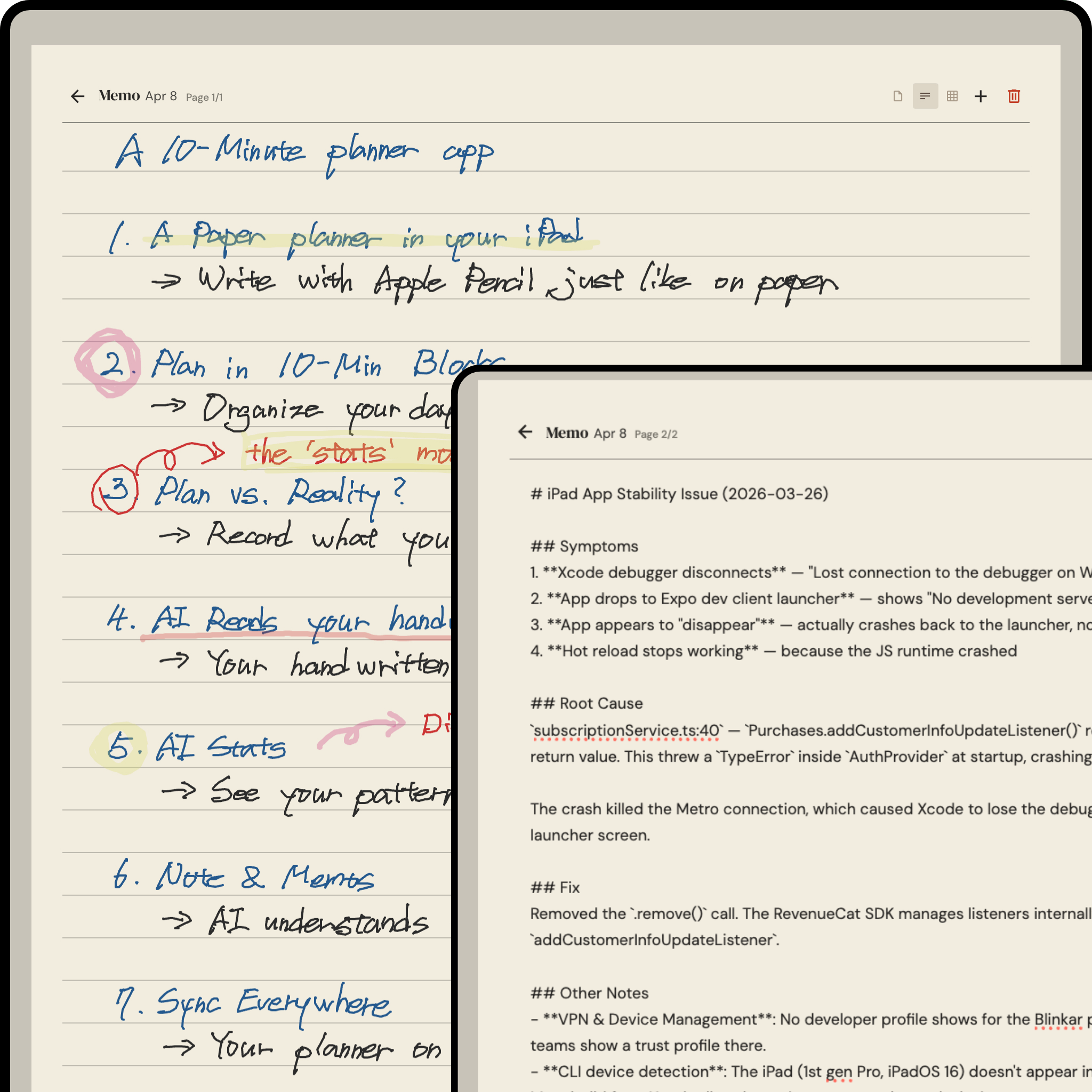
Your handwritten plans, automatically understood
Write your plans by hand with Apple Pencil. AI reads your handwriting and fills in the schedule with named, color-coded time blocks — no typing required.
AI Stats
See your patterns and time habits
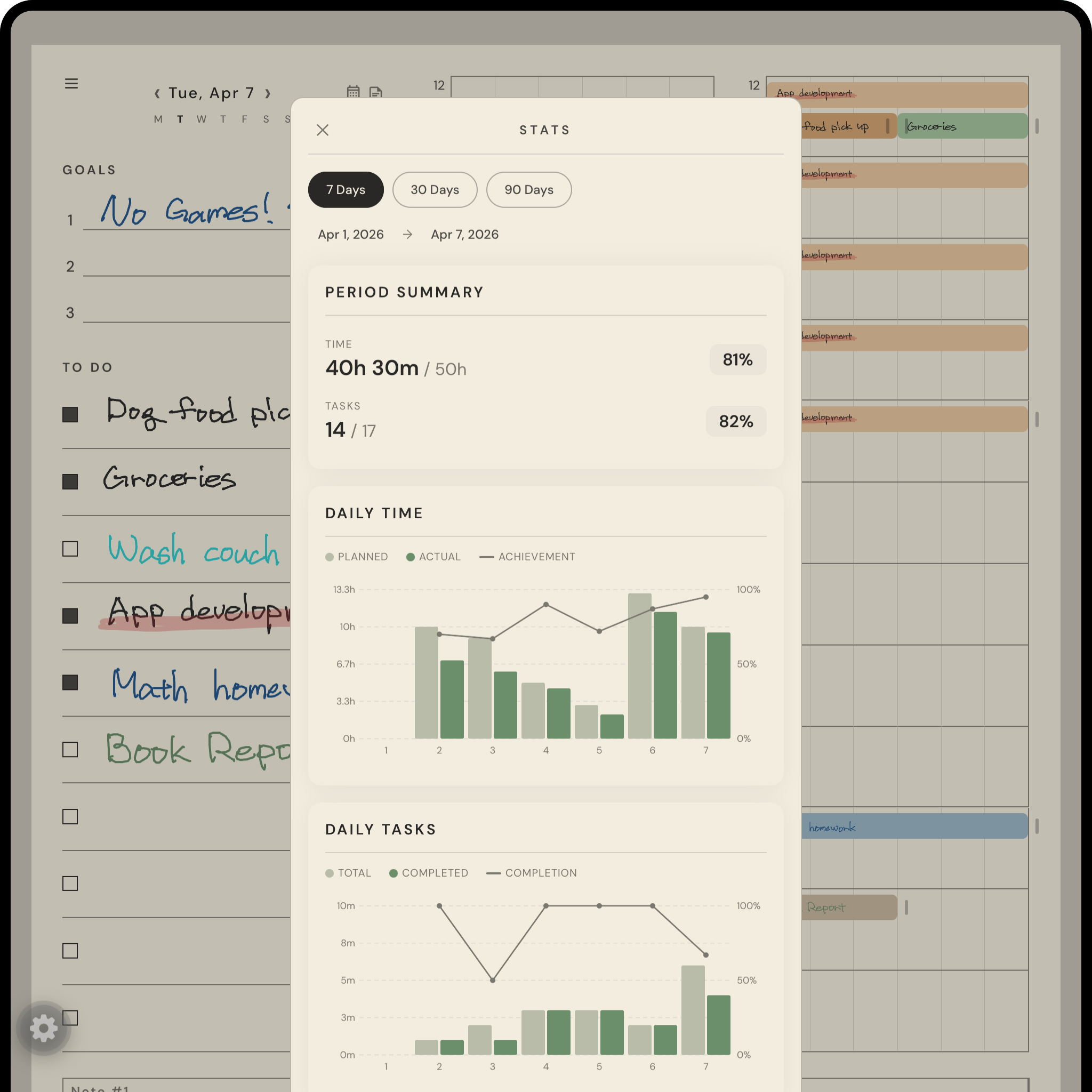
Track your daily time allocation, task completion rates, and top categories over 7, 30, or 90 days. Bar charts compare planned vs. actual time. See exactly how you spend your days.
How It Works
Simple as pen and paper
Write your plan
Handwrite your todos and goals with Apple Pencil. The paper-like canvas feels natural — just like writing in a real planner.
Schedule your time
Drag tasks onto the 10-minute grid to build your daily schedule. Blocks color-code automatically and wrap across hours.
Review your day
Toggle to Review mode and record what you actually did. Compare plan vs. reality and track your patterns over time.
Pricing
Start free, upgrade anytime
14-day free trial of Pro features. No credit card required.
Free
Everything you need to start planning
- Full daily planner with 10-min blocks
- Unlimited todos & handwriting
- Cloud sync across devices
- Basic weekly stats
- Review mode & time tracking
- 1 memo page per day
Pro
or $19.99/year
Advanced analytics and AI features
- Everything in Free
- Unlimited memo pages
- Advanced analytics (30 & 90 day)
- AI handwriting recognition
- Tag categories & trends
- Priority support
Start planning today
No account needed. Open the app and start writing your plans in seconds.
Free forever — upgrade when you need more.